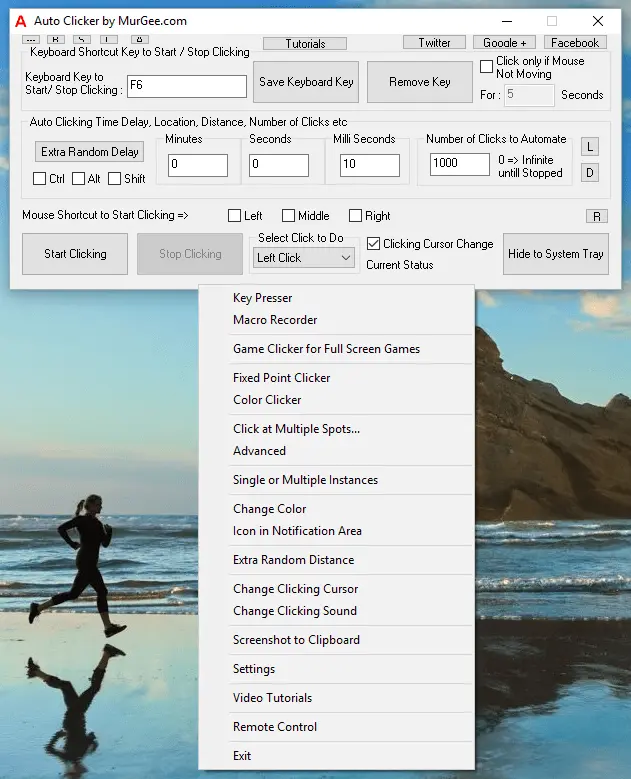
Download and Install Auto Clicker
Download Auto Clicker on your Windows PC to install latest version on your Windows Computer. In order to Install the Auto Clicker, Double Click on the Setup.exe and follow onscreen instructions. During Installation procedure, you can enable the option to create Desktop Shortcut of Auto Clicker. Yes the Setup creates shortcuts in Start Menu from which you can easily launch the Auto Clicker.
Supported Windows Operating Systems
Almost all the latest version of Microsoft Windows are supported for this Software. Given below is a list of Windows Operating Systems on which the Auto Clicker has been installed and tested successfully.
- Windows 11 running on 32 Bit and 64 bit Architectures.
- Windows 10 running on 32 Bit and 64 bit Architectures.
- Windows 8.1 running on 32 Bit and 64 bit Architectures.
The Auto Clicker has been tested on the above mentioned Windows Operating Systems in 2023. This Auto Clicker should work fine on other version of Microsoft Windows such as Windows 2000, etc and most of the features will work fine on Windows 11 as well. Make sure you do install Windows Updates to make sure your Windows Computer is protected and runs without any issues to utilize the Mouse Clicking features of this Mouse Automation Tool.
Download Game Clicker
For Auto Clicking on Full Screen Games, you can Download Game Clicker which is provided Free with Auto Clicker. The Automated Mouse Clicking done by Game Clicker is simulated on a lower level as compared to done by Auto Clicker. Effectively you can send Automated Mouse Clicks with Mouse Shortcut to any Game or Application installed on your Windows Computer.
Free Download of Auto Clicker
The Software Download provided here is offered on a Free to Download basis. There is no registration required to evaluate free trial, no advertisements and no popup reminders to pay Software Activation Fees. The Auto Clicker provided here does has a Usage Limitation after which fees is required to be paid as outlined on Auto Clicker Home Page.